Suggested generator preset
- video Type
- YouTube tutorial
- duration
- 2 minutes
- speaking Style
- Warm
- cue Level
- Guided cue lines
The delivery problem
Tutorial notes often contain dense explanations, long transitions, and details that are hard to deliver while keeping your eyes near the lens. The useful job is turning those notes into short spoken ideas without inventing claims or rushing the take.
CueKit workflow
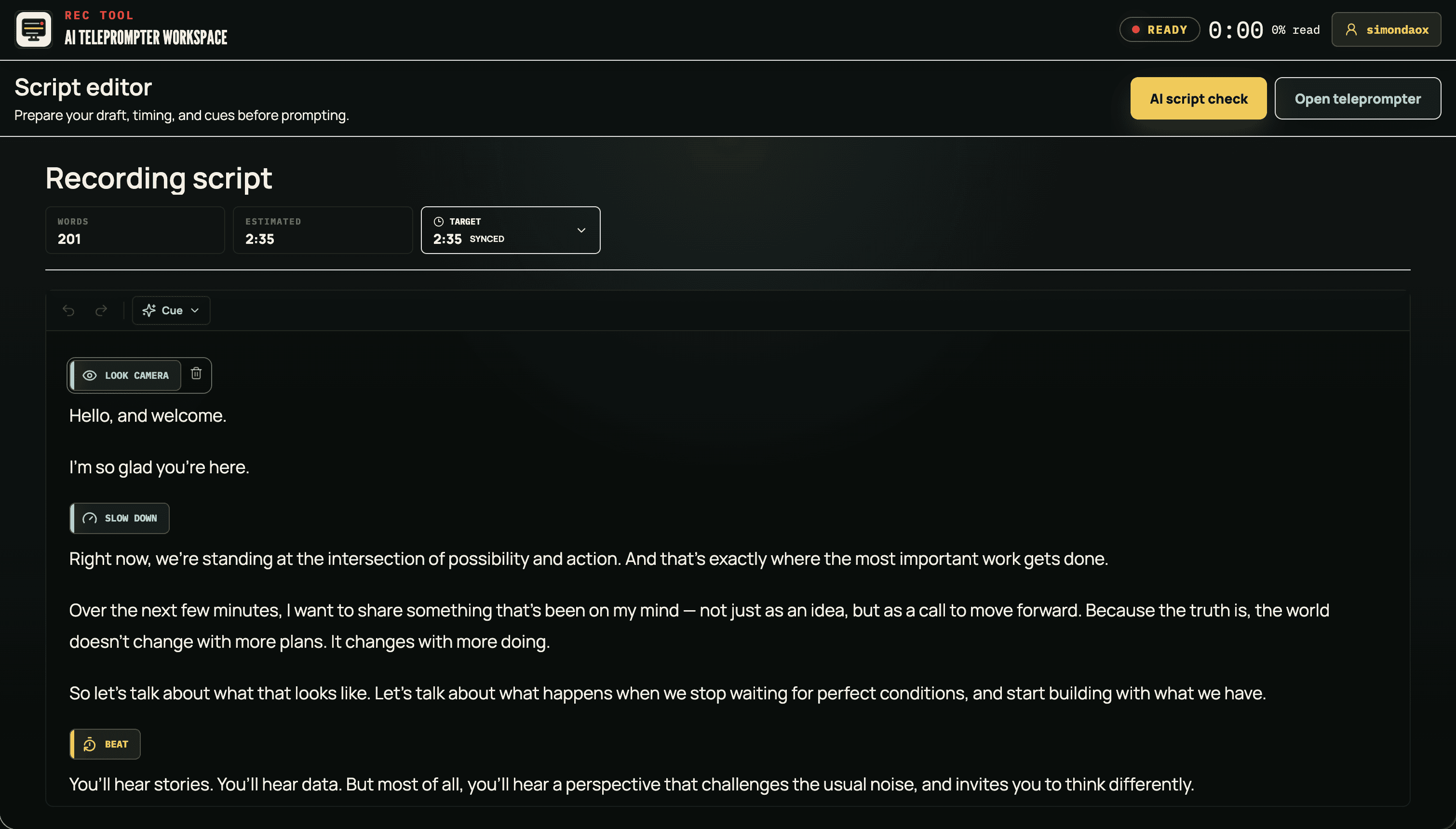
Give the video script generator the topic, viewer outcome, and facts the tutorial must preserve. Choose YouTube tutorial and a speaking style that matches the channel.
Use the script timer to check the spoken word count. Read the hook, transitions, and close aloud before changing the draft to fit the target.
Open the saved draft in the AI teleprompter, set a comfortable pace, and use the browser camera workflow when you are ready to record and review a take.
Suggested generator preset
Rehearsal pace
130-155 WPM
Starting guidance: rehearse between 130 and 155 WPM for a conversational tutorial, then adjust for demonstrations, technical detail, pauses, and your natural delivery.
Related tools
No. Keep the lines that need accurate wording, then leave room to demonstrate, pause, or speak naturally where exact phrasing is less important.
CueKit's camera teleprompter can record a browser camera and microphone take, then let you review and download the local video file.