Quick answer
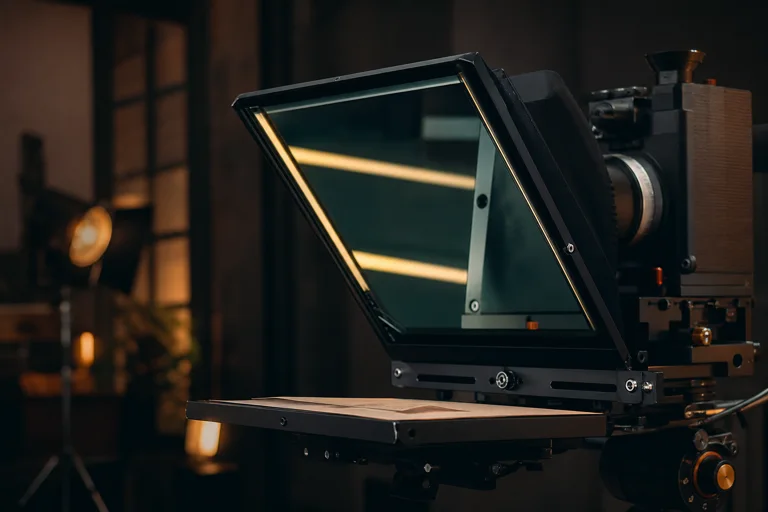
A mirror teleprompter flips script text horizontally so it reflects correctly through teleprompter glass. Use mirror mode only when a physical rig reverses the display; leave it off when reading directly from a laptop, monitor, or tablet. Before recording, test text size, WPM, line length, and eye line from the actual camera position so the mirrored script stays readable and natural.
Mirror teleprompter setup is about display orientation, reading distance, text size, pace, and eye line rather than a separate script-writing tool.
Reviewed against the live CueKit browser workflow on August 2, 2026, including the current controls, browser permission prompts, and documented outputs.
Prompting checklist
- Mirror mode on only for reflective rigs.
- Text size large enough from the speaker position.
- WPM tested with a short read before full screen.
- Camera and script line kept close enough for natural eye contact.
Reading setup
- Rig check: confirm whether the display is reversed.
- Readability check: increase text size until lines are easy to catch.
- Pace check: start slower than usual, then raise WPM if it feels too slow.
- Recording check: use a short test take before the final read.
Steps
Run the read like a short take: setup, pace, lens, record, retake.
- 01
Place the screen in the reflective rig and confirm whether text appears reversed.
- 02
Turn on mirror mode in the teleprompter controls only if the rig needs it.
- 03
Raise text size until the reflected lines are readable from speaking distance.
- 04
Test WPM with one paragraph and adjust before full screen.
- 05
Record a short take to check eye line before the final read.
Reader setup checks
- Confirm that your glass or rig reverses the display before turning mirror mode on.
- Set the screen where it will sit during recording, not on a desk beside you.
- Use a short script section to check whether lines are readable at camera distance.
Keep the read natural
- Turning on mirror mode when reading directly from the screen.
- Testing text size up close instead of from the real reading distance.
- Using long paragraphs that are harder to track through reflected glass.
Use it in CueKit
Where to use it in CueKit: open the free online teleprompter for a ready script, turn on Mirror, then adjust speed and text size. Open the AI teleprompter when the script needs rewriting or camera recording before the mirrored read.
Next reads
FAQ
When should I use mirror mode?
Use mirror mode when reflective teleprompter glass reverses the text. Leave it off for direct screen reading.
Is mirror teleprompter a separate CueKit tool?
No. Mirror mode is a control inside the real CueKit teleprompter tools.