Quick answer
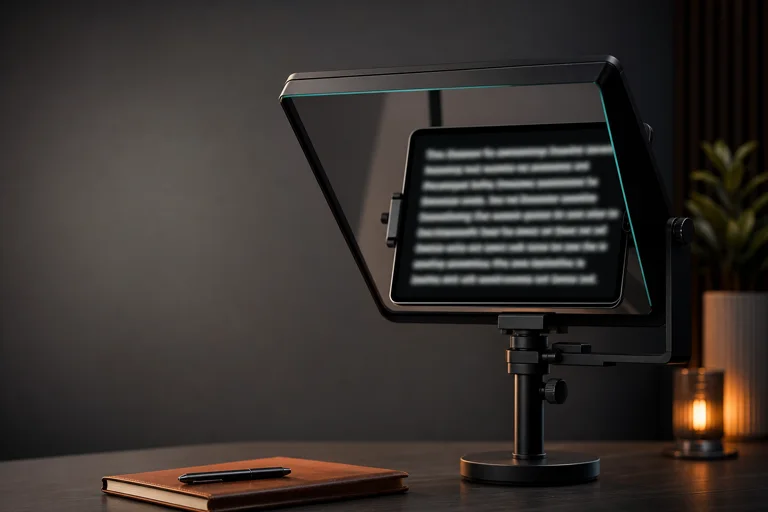
An iPad teleprompter setup should use large text, simple controls, and a comfortable reading distance. In a browser, paste the script, increase font size, test WPM, and turn on mirror mode only if the tablet is used in a reflective rig. Camera and recording support can vary by browser, so test the exact device before relying on it for a final take.
CueKit can support iPad-style teleprompter use through browser prompting, large text, WPM controls, and mirror mode, with device testing recommended.
Reviewed against the live CueKit browser workflow on August 2, 2026, including the current controls, browser permission prompts, and documented outputs.
Prompting checklist
- Script ready before switching to full-screen reading.
- Text size tested from the real tablet position.
- WPM checked with a short read.
- Mirror mode used only for reflective tablet rigs.
Reading setup
- Direct tablet read: large text, mirror off.
- Reflective rig: mirror on, text checked through glass.
- Rehearsal: simple online teleprompter.
- Script editing: AI teleprompter on a larger screen when possible.
Steps
Run the read like a short take: setup, pace, lens, record, retake.
- 01
Open CueKit in the iPad browser you plan to use.
- 02
Paste the script and raise text size for the tablet distance.
- 03
Set WPM and read one paragraph aloud.
- 04
Use mirror mode only if the tablet is in a reflective rig.
- 05
Test the full setup before relying on it for a final recording.
Reader setup checks
- Test CueKit on the exact iPad browser you plan to use.
- Use larger text than a desktop setup because the tablet may sit farther away.
- Decide whether the tablet is direct-read or part of a reflective rig.
Keep the read natural
- Assuming mobile browser camera behavior matches desktop.
- Using text too small for a tablet mounted near the camera.
- Turning on mirror mode for direct reading.
Use it in CueKit
Where to use it in CueKit: use the free online teleprompter for tablet reading and mirror mode. Use the AI teleprompter on a larger screen when the script needs rewriting or camera/take controls.
Next reads
FAQ
Can CueKit work as an iPad teleprompter?
It can work in modern tablet browsers, but camera and recording behavior should be tested on the exact device.
Should I use mirror mode on iPad?
Only when the iPad is part of a reflective teleprompter rig. Leave mirror mode off for direct screen reading.